
When you style your webpage, your ruleset for styling is stored in a CSS, which stands for Cascading Style Sheets. To create a CSS in your codehs site, create a new file and make it .css.
CSS is a kind of language where you list the rules for styling specific elements in your webpage. To do that, in your CSS, write the tag you want to style without the <>, and in brackets, list the rules. Rules are always in the form "property: value;" where property stands for color, font, etc. and value stands for green, serif, etc. This is an example:
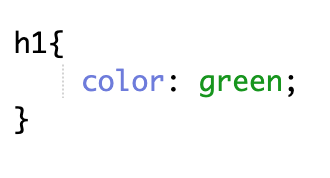
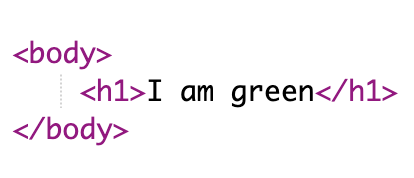
This code yields the following result:

HTML doesn't know that your CSS applies to your webpage, so you need to tell it that the CSS does apply. To do that, you put in the head section of your HTML page <link rel="stylesheet" href="style.css">, as shown below. Nothing in this tag will change except style.css will change to the name of your css.

This is what actually causes this result:
Images created by Vibhu Akella, accessed from Codehs.com.